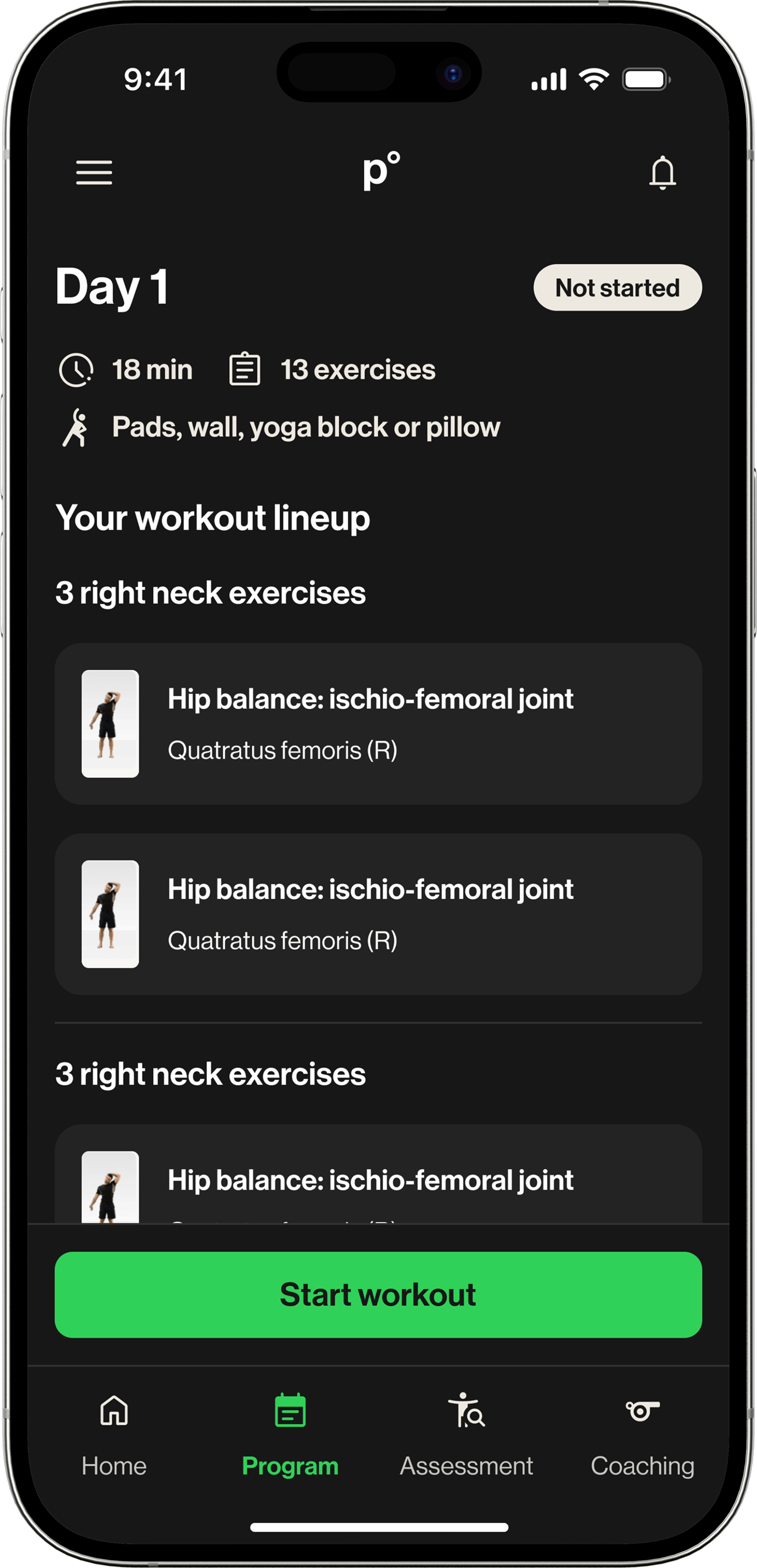
A workout page built for professionals had to serve youth athletes
p°Motion's workout experience was originally designed for professional athletes. They did not need much guidance. They needed to open the app, complete the workout, and move on.
That assumption carried into the youth sports vertical, but it did not hold. Youth athletes were balancing school, games, practices, and inconsistent routines. Without a coach present, the app was not supporting them. It was just listing exercises.
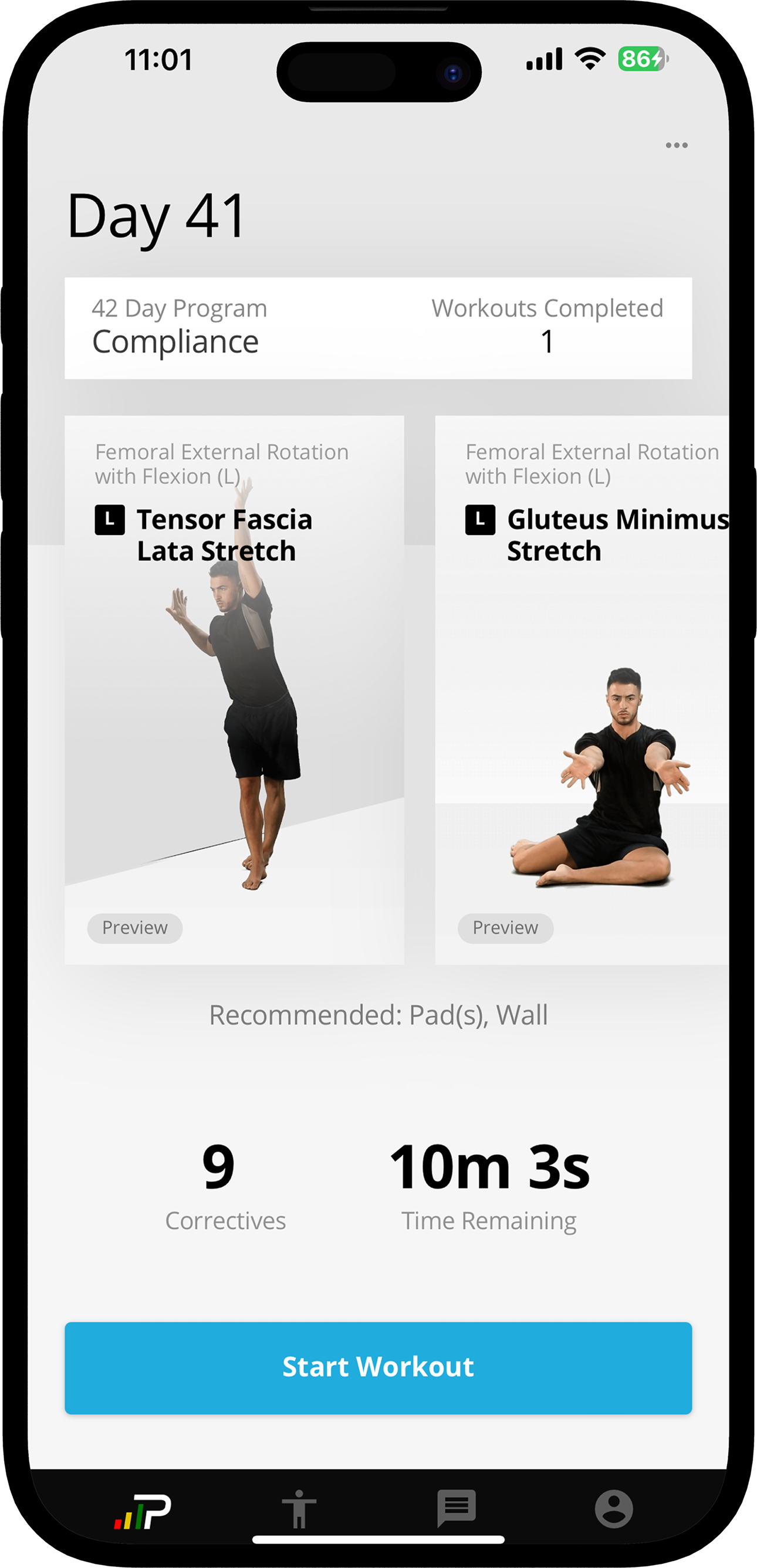
The page did not need to look newer. It needed to explain why the workout mattered.
The project started as a visual refresh. The goal was to bring the program page closer to the new design system and make the interface feel more current.
But visual polish alone would not solve the real problem. The page was not simply outdated. It assumed youth athletes already understood the purpose of each workout, already had motivation to return, and did not need context before starting.
The drop-off made the issue clear. Copying a professional athlete workflow into a youth experience was not enough. The product needed to help athletes understand what they were doing, what they needed, and why the work was worth completing.
Workout products taught the same lesson: structure creates confidence.
To ground the redesign, I reviewed workout experiences from platforms like Nike Training Club and Apple Fitness. Each product had a different visual style, but they shared a common pattern: the workout page helped users understand the session before asking them to begin.
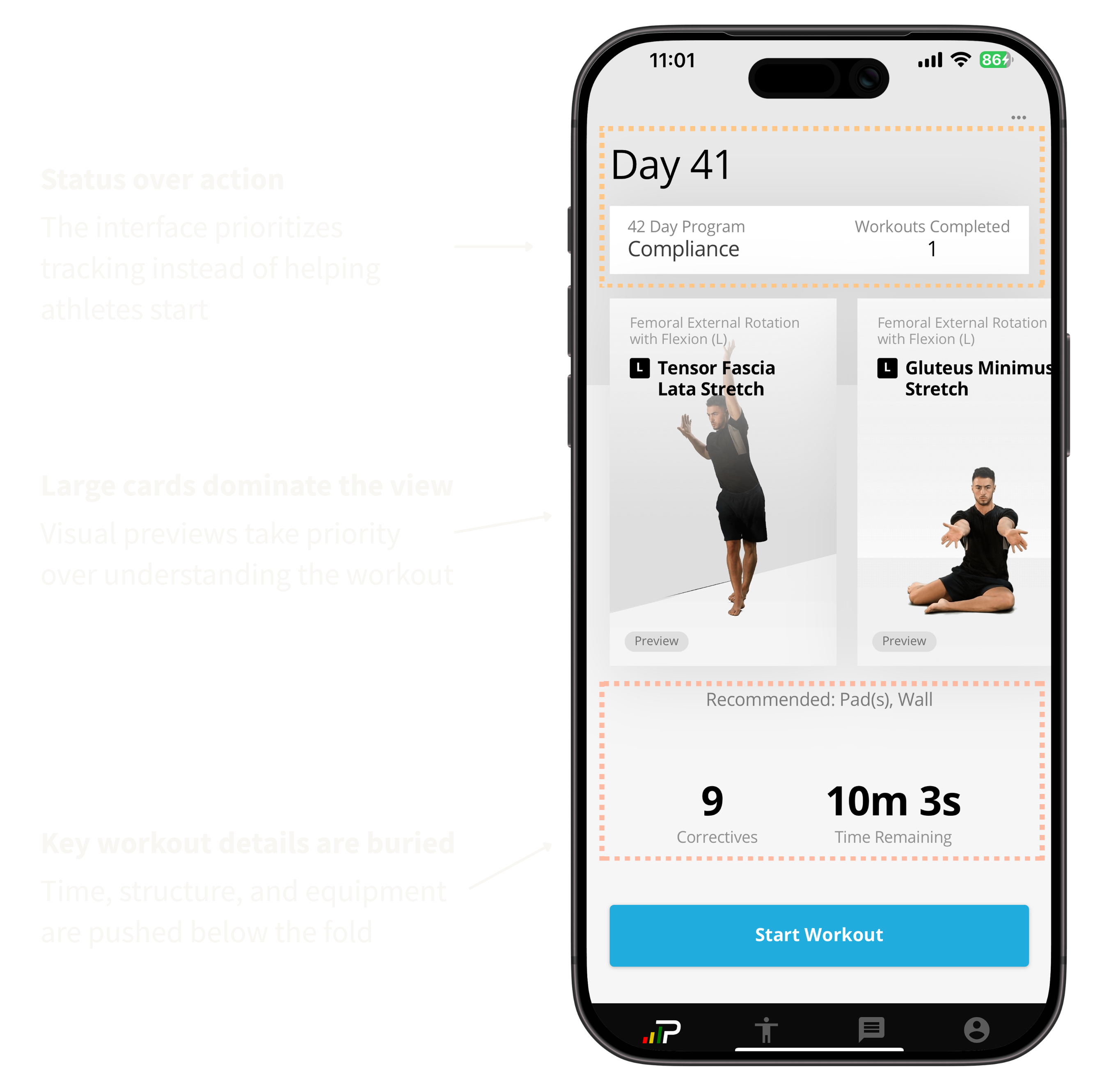
The existing p°Motion page did not do that. It mixed layout patterns, centered text inconsistently, and made practical information harder to scan. The experience felt messy at the exact moment athletes needed clarity.
Clarity was not missing because the UI was outdated. It was missing because the experience had not been redesigned for the new user.
Early directions explored the wrong problem.
Early explorations focused on expanding the experience: adding navigation, preview states, saved workouts, and more context around the program. Each direction introduced useful pieces, but they still shared the same issue.
The interface continued to ask athletes to interpret the page before starting. This made it clear that the problem was not feature coverage or layout variation. It was how the workout information was structured.
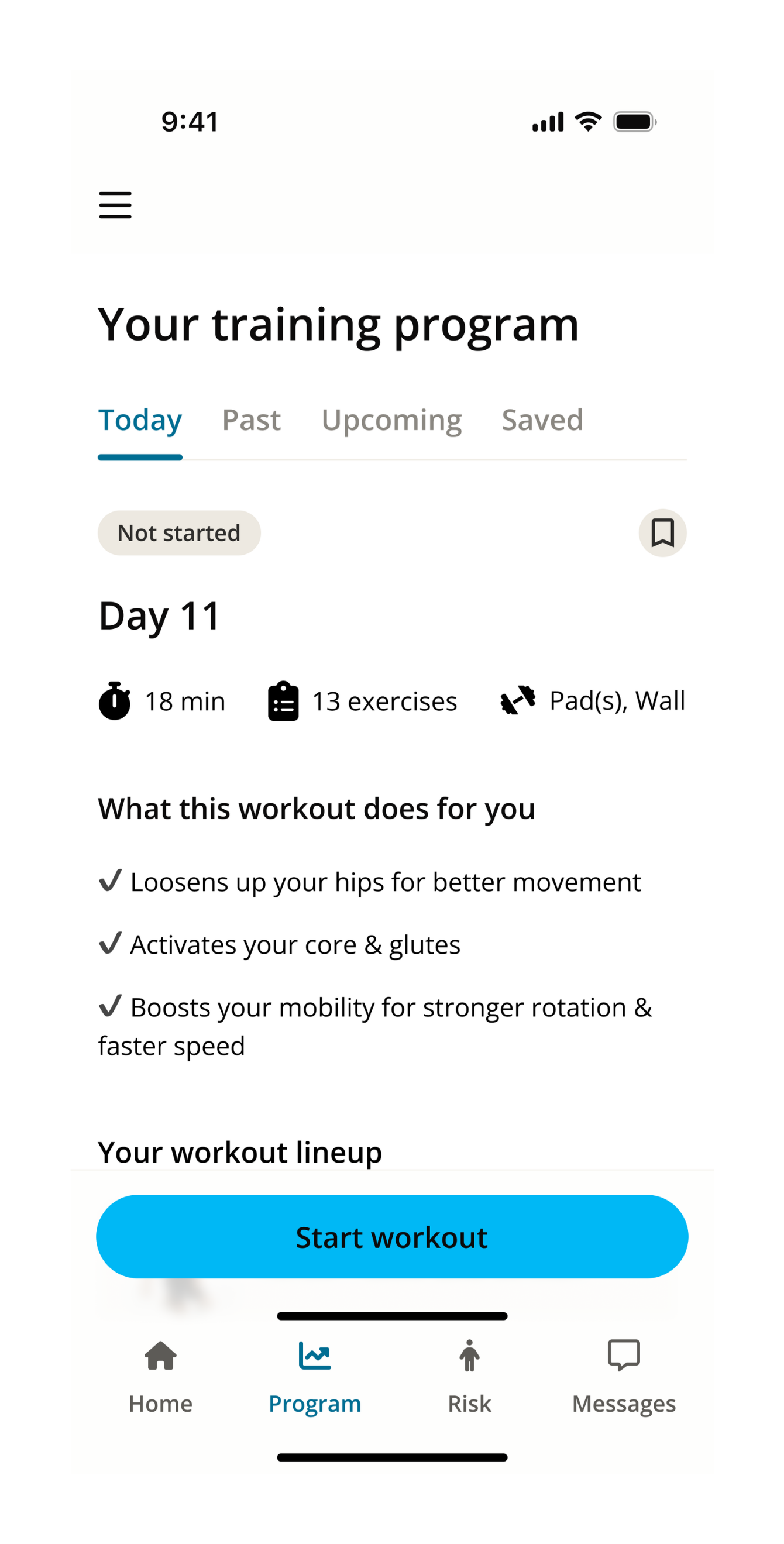
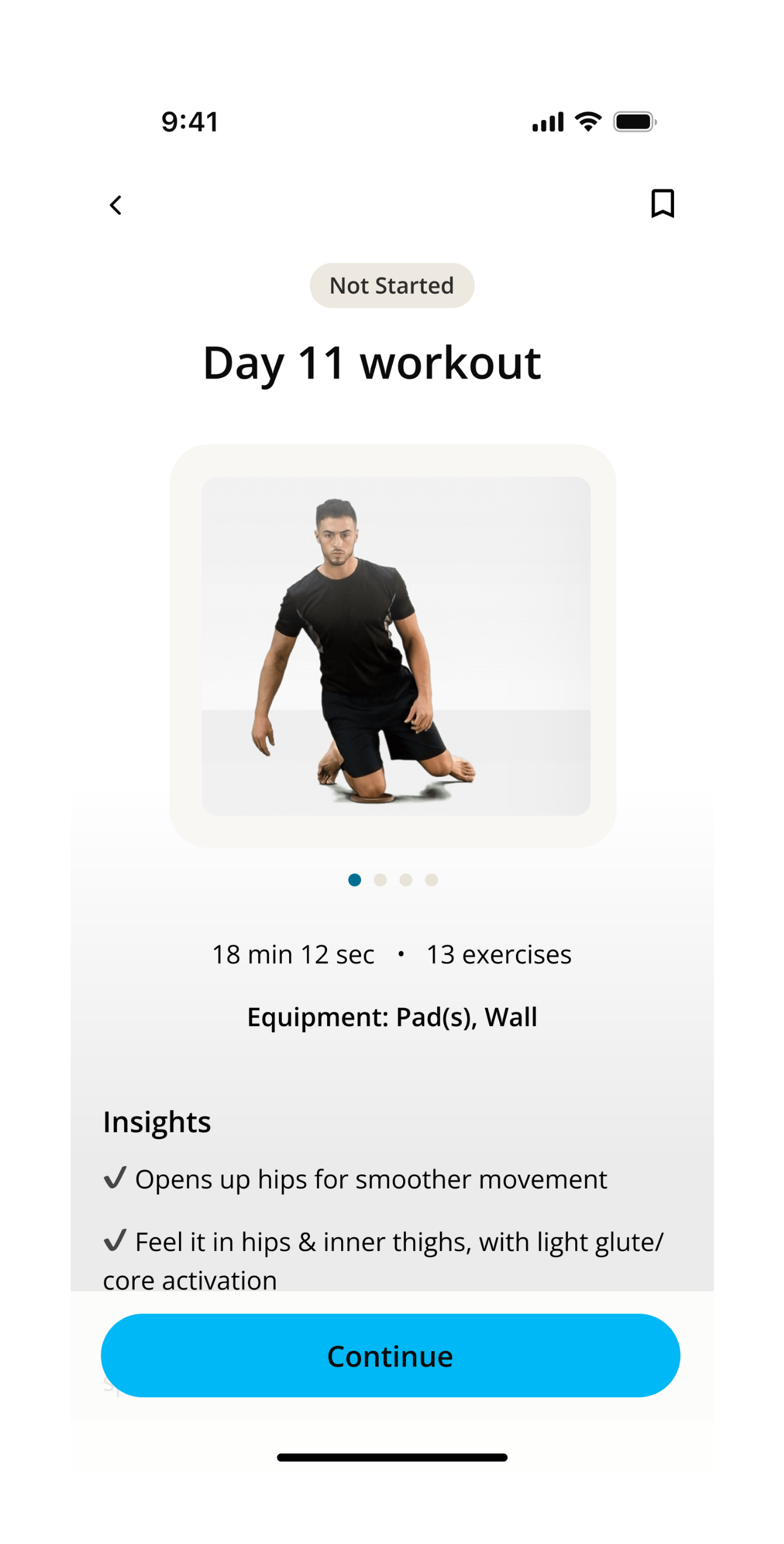
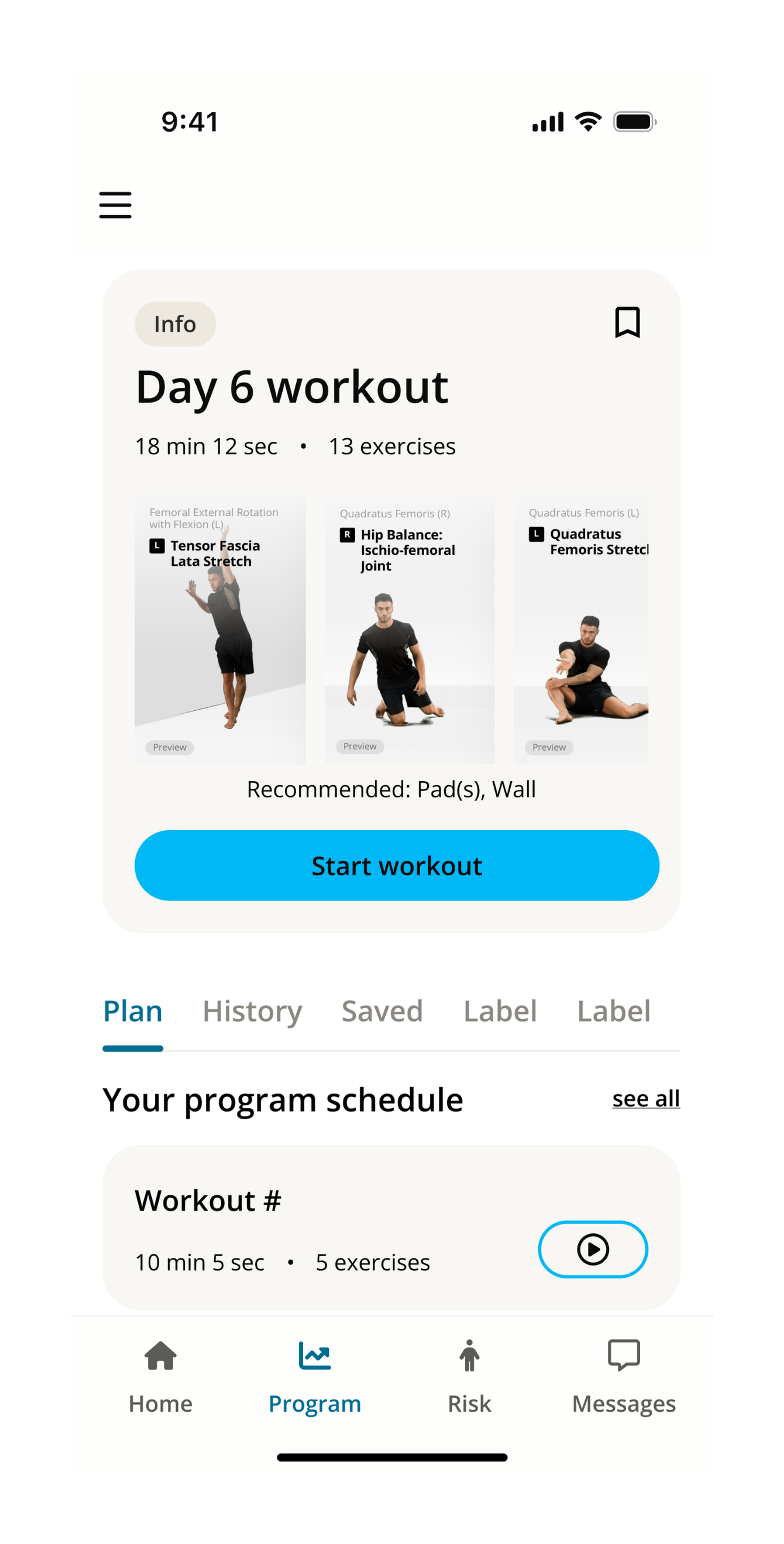
The shift: the solution did not need more features. It needed a clearer starting point, a tighter hierarchy, and a workout structure athletes could understand before tapping start.
How might we turn a static exercise list into something that feels like a guided program?
The redesign needed to do more than restyle the page. It had to give athletes enough information to understand the session before starting, without adding a heavy onboarding moment or expanding scope beyond the two-week timeline.
What does this workout ask me to do, and why does it matter?
Two decisions shifted the page from a checklist to a program.
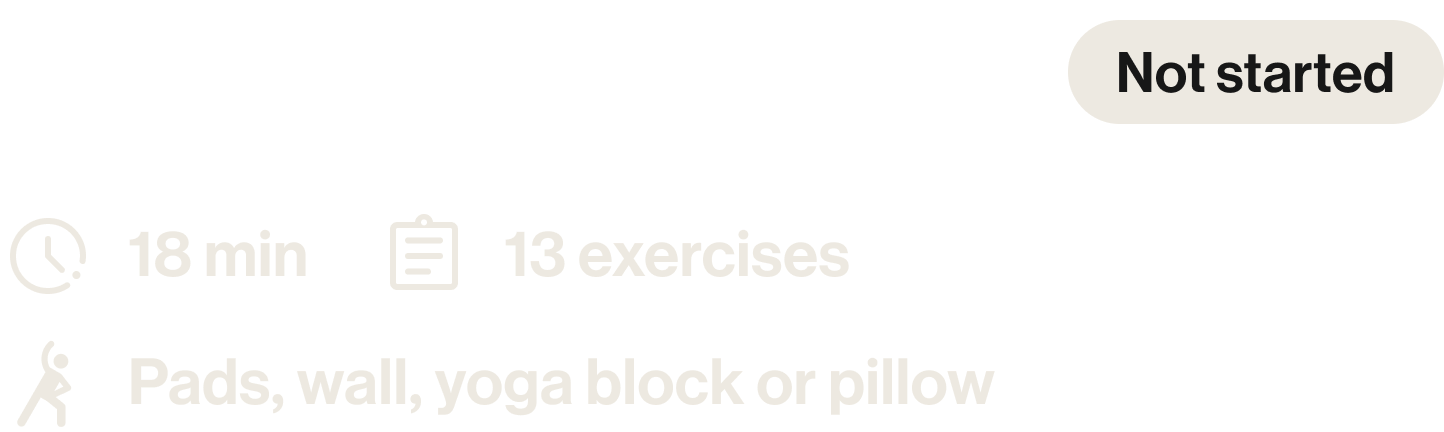
The constraint: this was a focused two-week redesign, not a full product rebuild. The strongest move was to reorganize information the system already had, rather than introduce new functionality that could not ship on time.
The page started to feel like a program, not a to-do list.
The redesign improved clarity and made the workout easier to follow. Athletes could understand what they were doing before starting, instead of interpreting the page during the workout.
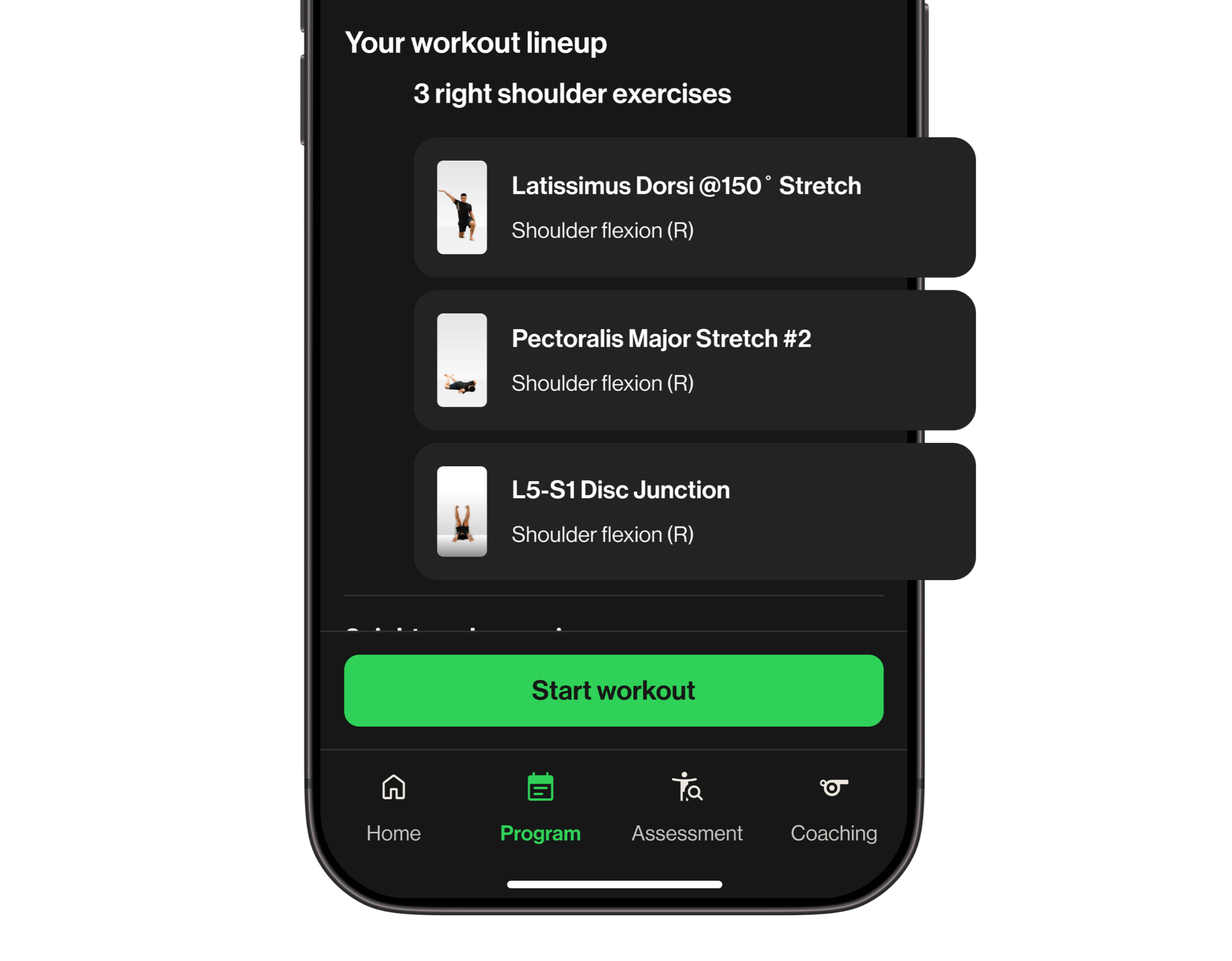
Grouping exercises by body area gave each section meaning, helping connect the work to their own body. The biggest shift was not visual polish. It changed the experience from completing exercises to following a program.
The work started as a UI refresh. It became a reminder that a polished interface still fails when it carries the wrong user assumptions.
A new audience means new assumptions.
Do not copy a workflow into a new vertical
The professional athlete experience worked because the surrounding environment gave it context. Youth athletes did not have that same support, so the interface had to do more of the explaining.
Structure can be a form of motivation
Grouping exercises by body area did not add a new feature, but it changed how the page felt. The workout became easier to understand, and easier to commit to.